


6+

Vista completa
Articoli simili
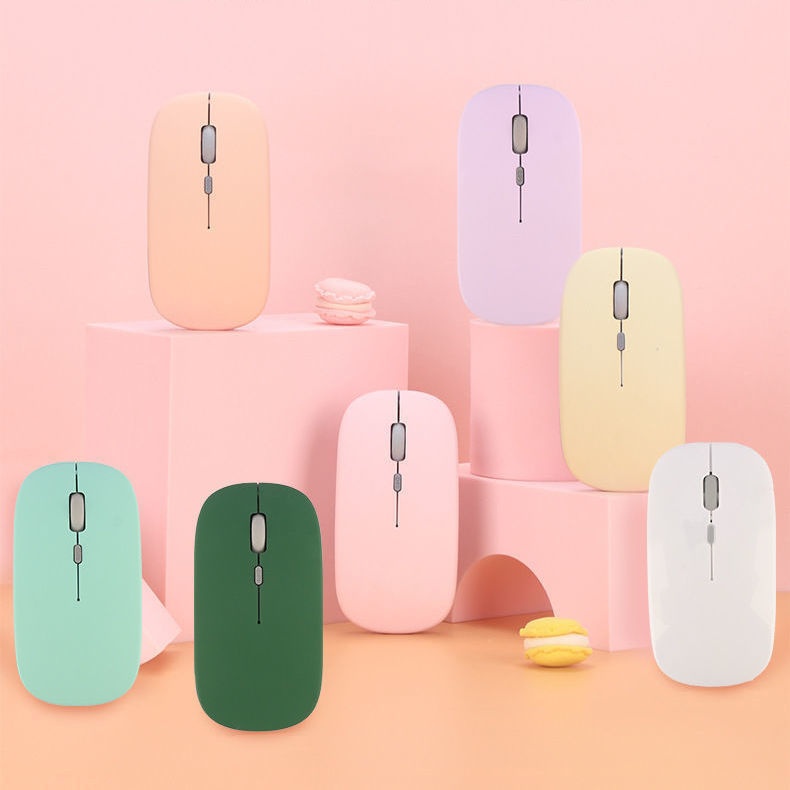
Mouse Bluetooth wireless Digitex Digitex a doppia modalità compatibile con telefoni cellulari, iPad, laptop, desktop da ufficio, tastiera silenziosa
15,97€21,75€
Colore : Modello batteria Bluetooth nero


Quantità :
 Customer Service
Rapporto
Includere la violazione del copyrightSpedizione standard gratuita. Guarda i detagli
Stimato tra Thu, May 14 e Tue, May 19
Puoi restituire il prodotto entro 30 giorni dal ricevimento. Guarda i detagli
Acquista con fiducia

Garanzia di rimborso
Ricevi l'articolo che hai ordinato o ti verrà restituito il denaro. Saperne di più
Informazioni su questo articolo
Tratto da Digitex
Il venditore si assume ogni responsabilità per questa inserzione.Codice articolo: 32956852
Specifiche degli articoli
Caratteristiche
Luce mista, luce singola, opaca
Asse
Asse ottico, asse verde, asse del tè
Tastiera numerica
No sì
Connessione
Bluetooth
Misurare
100 mm-120 mm, 121 mm-130 mm, <100 mm
Descrizione dell'articolo da parte del venditore
If the phone cannot find Bluetooth because it does not support 5.0, the solution is to press and hold the DPI green light until it changes from fast flashing to slow flashing after powering on, then switch directly back to 3.0
1. The battery-powered Bluetooth mouse does not include a receiver and is shipped without batteries: it supports smart Bluetooth phones and tablets of any model or brand, with an iPad system requirement of IOS13 or higher. Only compatible with Windows systems running Windows 10 or above for Bluetooth use, or purchase dual-mode for universal compatibility!
2. Rechargeable Dual-Mode Bluetooth Mouse with Receiver, Rechargeable Bluetooth Connection, Also USB Wireless Connection! Compatible with Any Mobile Phone, Tablet, Desktop Computer!
Rechargeable version: Remove the receiver, plug it into the computer USB port, approach the receiver and turn on the switch at the bottom of the mouse. Wait a few seconds; the bottom light flashes, indicating successful connection.If there are any issues, please try reconnecting the receiver and turning the mouse on and off until the connection is successful
Bluetooth Version: Turn the switch on the bottom of the mouse to the Bluetooth position. At this time, the mouse light will flash in a waiting state for connection. Turn on the Bluetooth function of your device and search for 'BT5.2 MOUSE' or 'BT 3.0 MOUSE'. Choose either one to connect. If you encounter any issues, you can press and hold the DPI button for 5 seconds until the mouse light changes to a flashing waiting state for connection, then search for connection again


Ricerche correlate
supporto per tastiera e pancasupporto per tastiera regolabileset di tasti animePoggiapolsi per tastiera al 75%supporto per tastiera da scrivaniatasto Esc personalizzatosupporto per tastiera da tavolokit per la pulizia della tastieraCover per tastiera HPsupporto per tastiera pieghevolesupporto per tastiera meccanicasupporto doppio per tastieraPoggiapolsi ergonomico per tastieraSpazzola per la pulizia della tastiera del computerpoggiapolsi per tastiera divisa
 4.4 su 5 basato su 9,249 recensioni